
 Gmail
Gmail Google Drive
 Google Docs
 Google Sheets
Outcomes
Faster kickoff across teams
One Slack message creates the full workspace structure so everyone starts aligned.
Less coordination overhead
Briefs, attachments, and offers are routed into the right folders automatically.
Decision-ready scorecards
Briefing docs, evaluation matrix, and Q&A register are generated from templates.
Commercial clarity
Side-by-side comparisons of retainers, tooling, fees, onboarding, and key terms.
Risks surfaced early
Auto-generated risk log and clarification items to protect outcomes before award.
Audit-friendly procurement
Evidence links and run history support stakeholder reviews and governance.
1 · Initialize an RFP workspace in Slack
Start an RFP thread in Slack. The agent verifies standards, confirms naming, creates the full workspace structure, and returns the links so execution starts immediately.
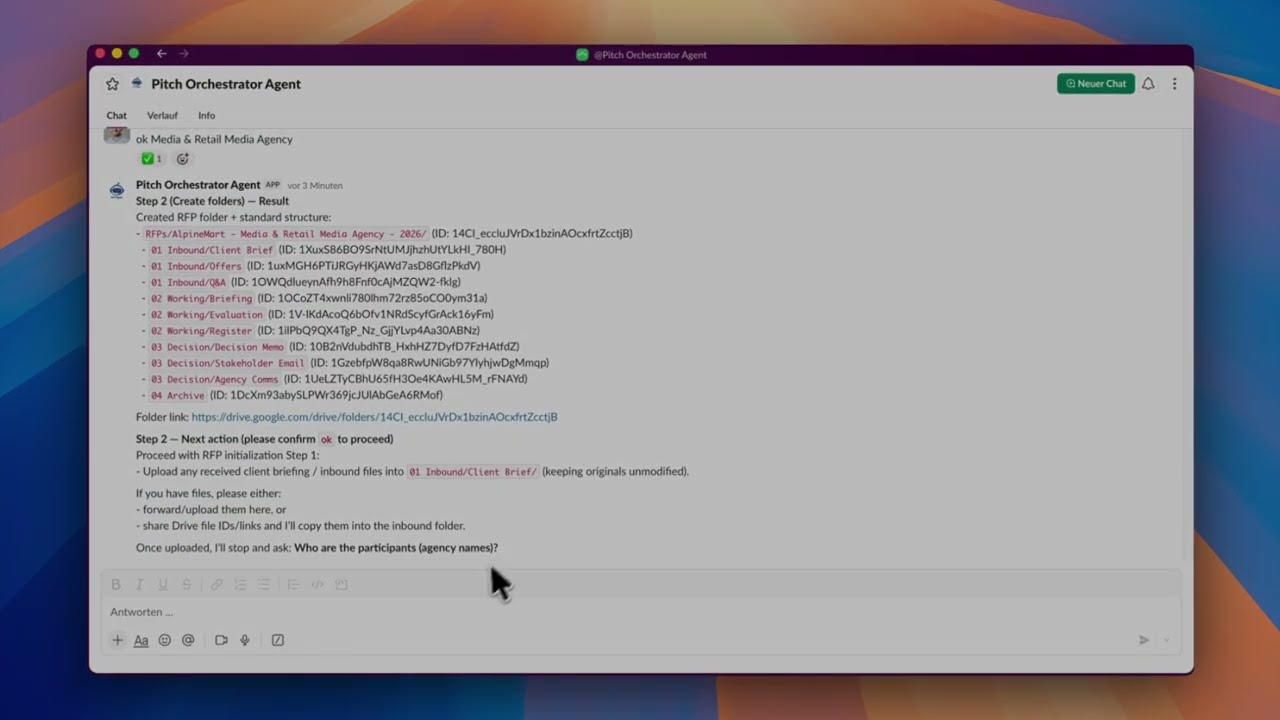
Show steps shown in the video Hide steps shown in the video
- Send init request: User asks: Initialize RFP for the client.
- Drive check: Agent verifies RFP root + templates and confirms the client folder does not exist yet.
- Confirm naming: User confirms RFP name + year.
- Workspace created: Standard folder structure is generated and linked.
- Next steps: Upload inbound brief files, then provide participant list.
2 · Trigger RFP brief intake from Gmail
Label an inbound RFP email in Gmail to trigger intake. The agent stores attachments as evidence and creates the briefing doc plus evaluation tools so the team can start scoring fast.
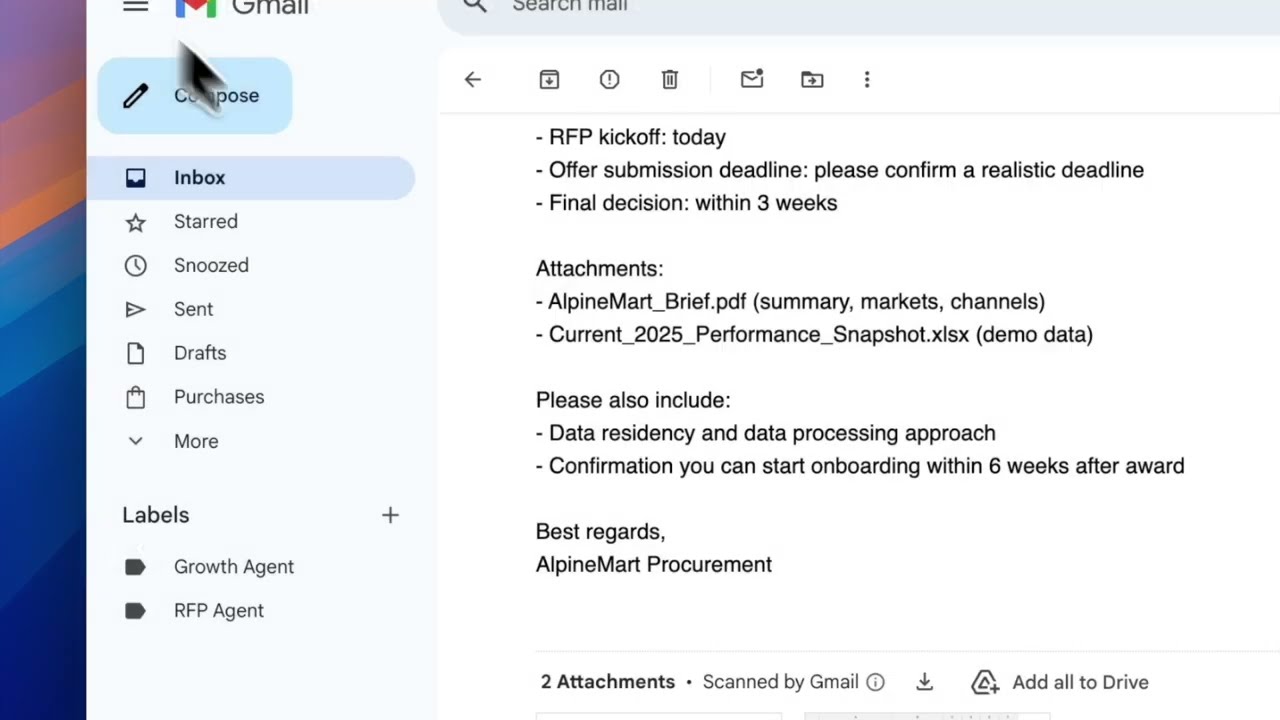
Show steps shown in the video Hide steps shown in the video
- RFP email received: Email with attachments is visible in Gmail.
- Apply label: User labels the email as RFP Agent.
- Files stored: Attachments are uploaded to 01 Inbound/Client Brief.
- Briefing drafted: Pitch briefing doc generated from template into 02 Working/Briefing.
- Evaluation tools created: Evaluation Matrix + Pitch Register sheets created and linked.
3 · Store offers, extract key terms, and draft evidence-based scores
Drop offer PDFs into Slack. The agent stores them, logs receipt, extracts commercials and key terms into a scorecard with evidence notes, generates a commercial comparison, and surfaces open risks to clarify.
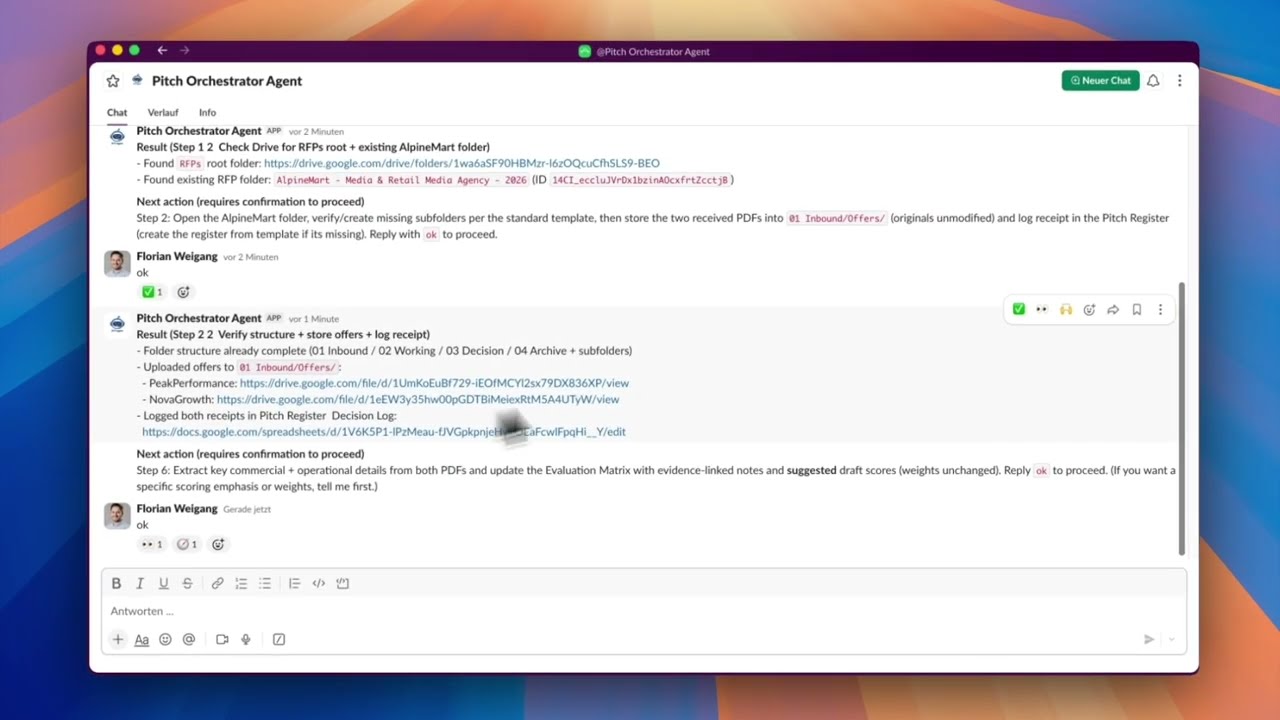
Show steps shown in the video Hide steps shown in the video
- Submit offer PDFs: User uploads multiple agency offers in Slack.
- Confirm storage: Agent asks to store PDFs into 01 Inbound/Offers and log receipt.
- Extract + score: After confirmation, commercials + terms are extracted into the Evaluation Matrix with draft scores.
- Commercial comparison: Side-by-side comparison tab generated (retainer, tooling, fees, onboarding).
- Risk log: Open clarification items recorded with mitigations; next action proposed (clarification email).
Controls, security, and governance
Choose your model and channels, keep execution inside boundaries, and require approvals where it matters.
Choose your LLM
-
 OpenAI
-
 Gemini
-
 Anthropic
Choose your channel
-
 Slack
Slack
-
 Microsoft Teams (soon)
-
 WhatsApp (soon)
Controls and governance
- Supervisor approval for sensitive actions
- Artifacts stay in your workspace
- Session history for every run
- EU (Germany) residency plus private cloud
Next step
What you get with Assistant Engine
- ✓ Tailored setup to match your use case and environment.
- ✓ Tool integration with the stack your team already uses.
- ✓ Fast, secure environment so you can learn and deliver value quickly.
- ✓ Safe AI rollout with governance from day one.
How: We scope, integrate, and launch a pilot fast so you can prove impact before scaling.

Ready for a tailored demo?
We will map your use case and show value in days.
Next: choose a time slot in Calendly (takes ~30 seconds).