
 Pimcore
 Microsoft Excel
Outcomes
Fewer go-live delays
Catch missing or inconsistent content before launch and avoid last-minute fire drills.
Faster supplier onboarding
Turn supplier spreadsheets into shop-ready imports with validation and normalization.
Controlled bulk changes
Preview impact, approve changes, apply updates, and rollback if needed.
Lower operational cost
Reduce repetitive catalog work and handoffs across teams.
More consistent customer experience
Enforce naming, pricing, and category conventions for cleaner browse and search.
Audit-ready execution
Clear before/after evidence and run history for every sensitive update.
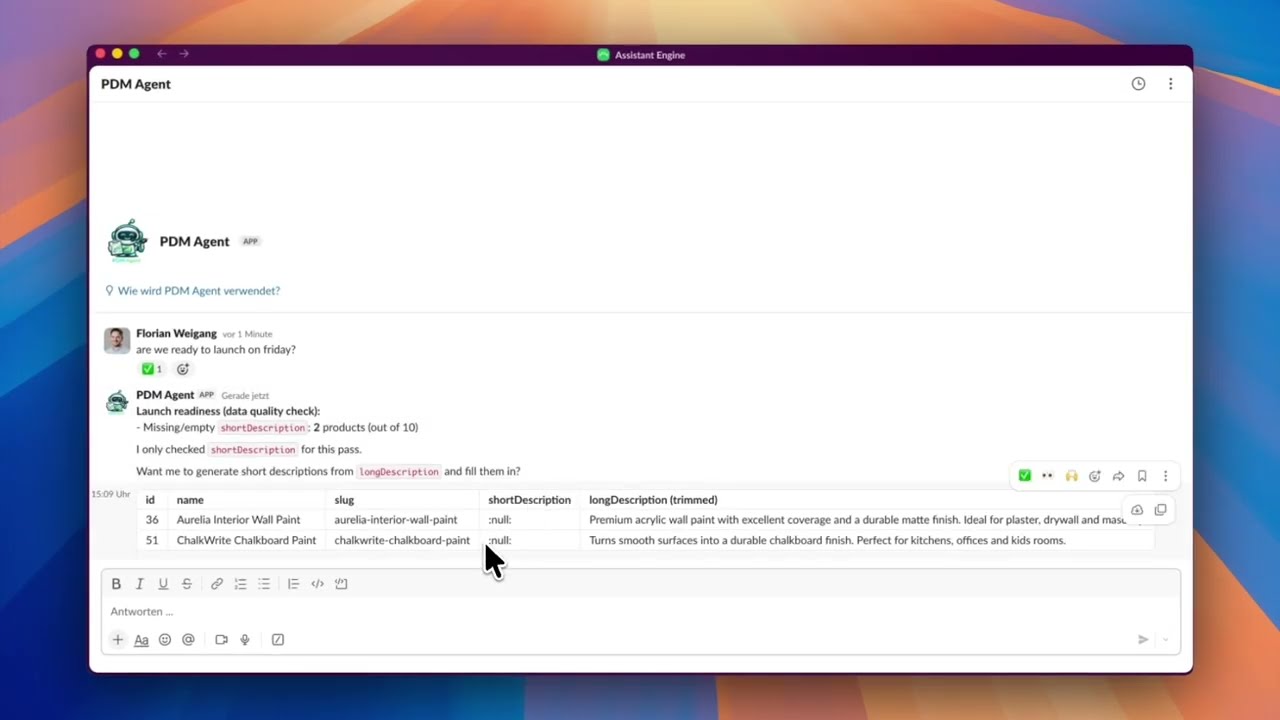
1 · Go-live check: data quality scan + auto-fill missing short descriptions
Ask if the catalog is ready. The agent scans critical fields in Pimcore, quantifies gaps, proposes a fix, and applies changes only after confirmation.
Show steps shown in the video Hide steps shown in the video
- Ask launch readiness: User asks if the catalog is ready to launch.
- Agent scans catalog: Flags missing short descriptions (e.g., 2/10 products).
- Confirm fix: User confirms auto-fill from long description.
- Apply updates: Agent fills missing fields and confirms completion.
- Verify in Pimcore: Short Description field is populated on product detail pages.
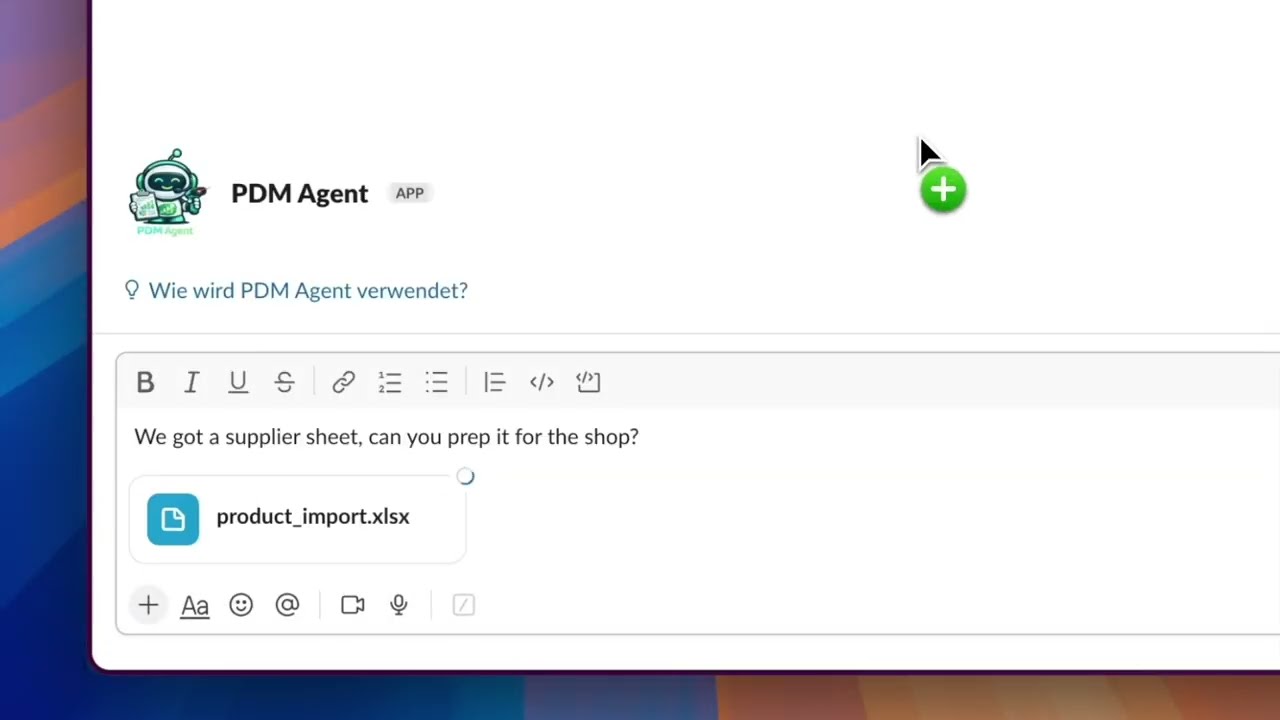
2 · Import: clean a supplier Excel and create Products/Variants in Pimcore
Drop a supplier sheet in Slack. The agent validates and normalizes keys, SKUs, prices, and categories, delivers a clean import file, and can create Products and Variants in Pimcore after approval.
Show steps shown in the video Hide steps shown in the video
- Upload supplier Excel: User shares `product_import.xlsx` in Slack.
- Normalize + QA: Trim whitespace, normalize slugs/SKUs, validate required fields and duplicates.
- Deliver clean file: Agent attaches `shop_ready_import.xlsx`.
- Confirm creation: User approves creating objects in Pimcore.
- Create in Pimcore: Folder `/products/import` + Products and Variants are created and linked.
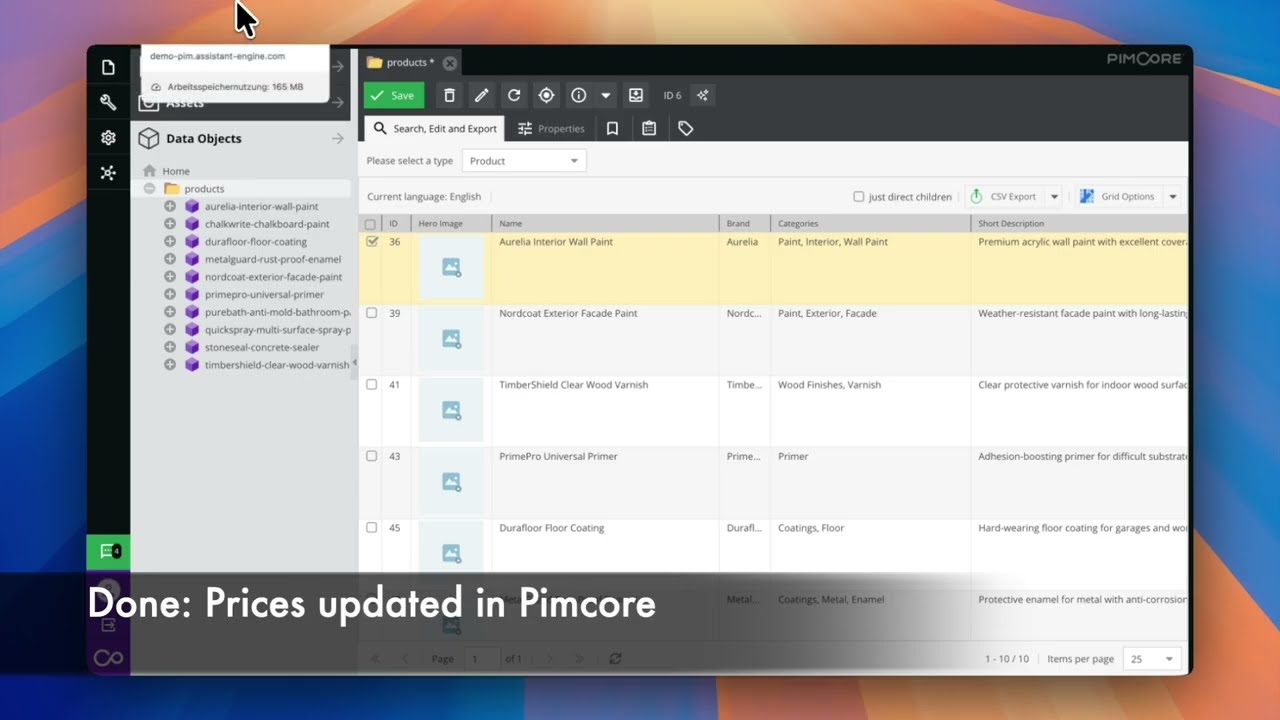
3 · Price increase: bulk +3% update with confirmation + rollback option
Execute pricing changes safely. The agent scopes impacted variants, shows a preview, applies rounded updates after confirmation, verifies results, and offers rollback.
Show steps shown in the video Hide steps shown in the video
- Request update: User asks to increase prices by 3% for Paint.
- Scope + confirm: Agent lists impacted variants and asks to proceed.
- Apply + verify: Prices updated (+3%), rounded to 2 decimals; before/after shown.
- Rollback available: Agent offers to keep or rollback the changes.
Controls, security, and governance
Choose your model and channels, keep execution inside boundaries, and require approvals where it matters.
Choose your LLM
-
 OpenAI
-
 Gemini
-
 Anthropic
Choose your channel
-
 Slack
Slack
-
 Microsoft Teams (soon)
-
 WhatsApp (soon)
Controls and governance
- Supervisor approval for sensitive actions
- Artifacts stay in your workspace
- Session history for every run
- EU (Germany) residency plus private cloud
Next step
What you get with Assistant Engine
- ✓ Tailored setup to match your use case and environment.
- ✓ Tool integration with the stack your team already uses.
- ✓ Fast, secure environment so you can learn and deliver value quickly.
- ✓ Safe AI rollout with governance from day one.
How: We scope, integrate, and launch a pilot fast so you can prove impact before scaling.

Ready for a tailored demo?
We will map your use case and show value in days.
Next: choose a time slot in Calendly (takes ~30 seconds).